

In this blog post I will be showing you how to make pong in Scratch (designed for beginners). This will not include score etc. There will be a post for more complicated features.
Check out full game here https://scratch.mit.edu/projects/315876708
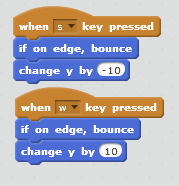
To move the left paddle you will use ‘w’ to go up and ‘s’ to go down
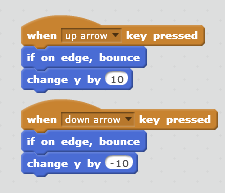
To move the left paddle you will use ‘up arrow’ to go up and ‘down arrow’ to go down
Step 1

Step 2
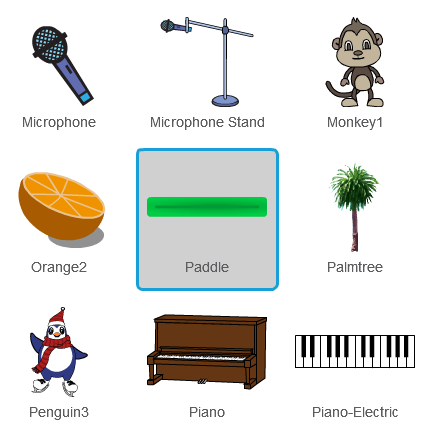
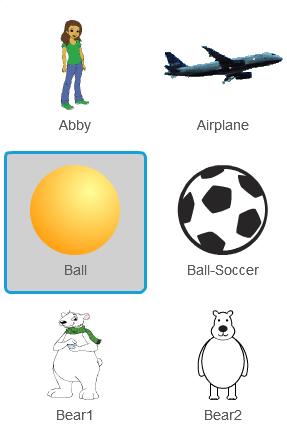
Add 2 paddles and one ball.
Step 3

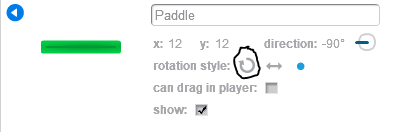

Do this to both
Step 4
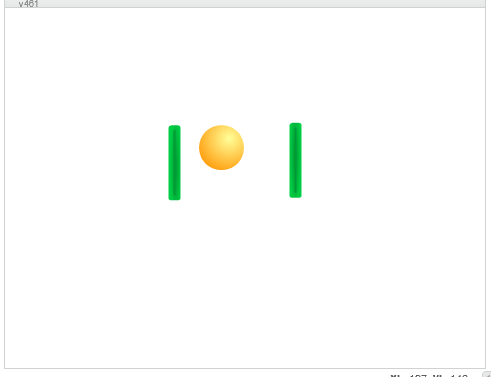
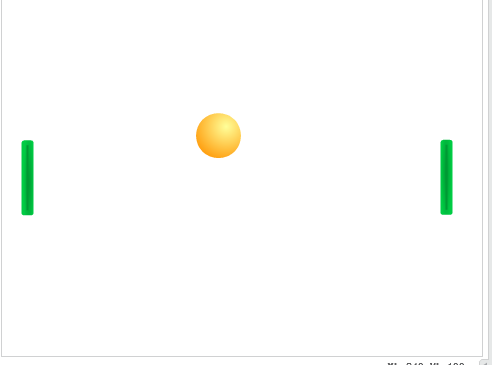
Move the paddles so that they are at the edge centred like the diagram above.
Step 5
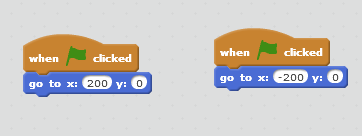
The paddle with x=200 will be Right
The paddle with x=-200 will be Left
Click on the i and rename the right paddle ‘Right’ and the left paddle ‘Left’
Step 6
Step 7
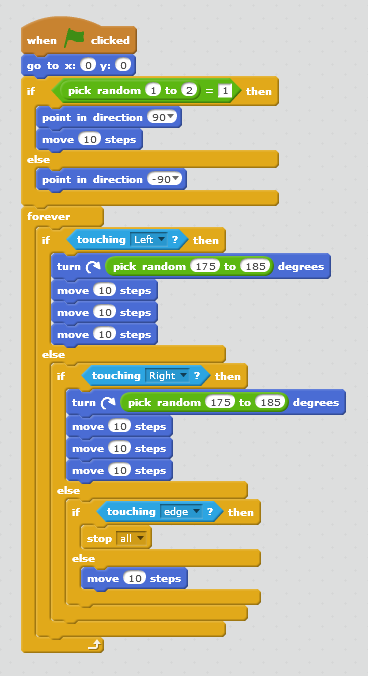
Add this code to ‘Ball’.
Step 8
Press green flag and play the game.
Check out full game here https://scratch.mit.edu/projects/315876708
 Nerd, Learn, Repeat